Twice a year for a full redesign, and only between tests. An Apple product page test can run for up to 90 days and a Google store listing experiment runs for up to six months, so changing your assets every month guarantees you never learn which version worked. Seasonal artwork belongs in custom listings and event assets instead.
How often is often enough?
Quick answer: Twice a year for a real redesign, and never in the middle of a running test. The test durations both stores allow are the reason.
Everything else is a seasonal asset, which is a different tool.
I read both stores' testing documentation before writing this, because the allowed durations are much longer than the cadence most people use.
The mistake is changing too often
Somebody redesigns the screenshots in January, again in March, again in May.
Installs go up in April. Nobody can say why, because three things changed and so did the season, the competition and the ad spend.
A listing you change constantly is a listing you can never learn from.
So the cadence question is really a measurement question.
It feels like work. Redesigning something is visible, measurable effort, and leaving a listing alone feels like doing nothing.
Leaving it alone is the harder discipline and the one that pays.
How long an Apple test runs
Apple's product page testing allows up to three treatments against your current page, and a test runs for up to 90 days unless you stop it.
Ninety days is a quarter. That's your unit.
So a redesign, a test, and a decision is a three month cycle at the outside.
Two of those a year is a sensible ceiling, and one is often enough.
Traffic splits proportionally across the treatments, so a small allocation on a small app takes the full ninety days to say anything.
Start with a larger share than feels comfortable.
How long a Google test runs
Longer. Google's store listing experiments stop automatically after six months.
You can run one default graphics experiment, or up to five localized ones, at the same time.
Each experiment takes up to two variants against your current listing.
So on Play the natural rhythm is even slower, and the temptation to fiddle is even more damaging.
Six months is long enough that the season changes underneath you. Note when a test started, because a winter start and a summer finish is a real confound.
What you can test without a new build
More than people assume, and this is what makes a slow cadence practical.
Apple says a test without alternate app icons can be submitted for review independent of a new app version.
Icons, screenshots and app previews are all testable elements.
So you don't have to wait for a release to try a new screenshot set. The release schedule and the listing schedule are separate things.
Alternate icons are the exception, since every icon variant has to ship inside the published app binary before it can be tested.
Waiting for the result, not the calendar
Google's console estimates how much traffic an experiment needs for a statistically meaningful answer.
If there isn't enough yet, it says so and tells you to come back, with a warning when you're less than a week from a result.
So the honest end of a test is when the data says so, not when you get bored.
A small app may genuinely need months. That's information, not failure.
Resist stopping an experiment the day it looks good. Early leads reverse constantly, and a two day lead is noise.
What a draw actually means
Both platforms will tell you two versions performed the same.
That's a real result and people treat it as a wasted quarter.
It means the thing you changed isn't what's holding the listing back, which saves you from redesigning it again next quarter.
Write the outcome down. A list of things that didn't matter is as useful as a list of things that did.
Most tests are draws. That is normal, and it is why the ones that are not are worth so much.
When to break the cadence
Four situations justify an unscheduled change.
The app's main feature changed, so the screenshots now show something that isn't there.
You're entering a new market. Your category got a store redesign. Or a competitor's listing makes yours look dated in a way you can point at.
Everything else can wait for the next cycle.
Even then, change one thing. A panic redesign of everything leaves you exactly as blind as before.
Seasonal artwork is a separate tool
A festival banner does not belong in your main screenshot set.
That's what promotional and event assets are for, and they expire on their own without touching your baseline.
Swapping your permanent screenshots for a seasonal version means you're back to square one in January.
We went through those assets in the in app events post.
There's a second reason. A seasonal set has to be built, reviewed and then removed, which is three jobs for a few weeks of relevance.
Different audiences, not different months
The other trap. People change the whole listing because one audience doesn't convert.
Custom store listings let you show different assets to different segments at the same time, which answers that properly.
So the question stops being when to change and starts being who sees what.
That mechanism is covered in the custom store listings post.
It also means you can leave the main listing stable while still speaking to a new market.
The one thing worth changing more often
Text, not images.
A description or a promotional line can be tuned without disturbing a graphics experiment, and Google allows description testing in localized experiments.
Text is also cheaper to change and easier to attribute, because it moves independently.
So if you need something to work on monthly, work on the words.
Keywords sit in the same category. They cost nothing to adjust and they don't disturb an image test running alongside.
Keep the baseline stable during a test
While a test runs, the control has to stay still.
Changing your icon, your description or your ad campaign mid test contaminates both arms of it.
I compared how both stores describe this, and both make the same assumption, which is that only the tested element differs.
So block out the quarter. Put the other ideas in a list and stop looking at them.
Tell whoever runs your ads as well. A campaign starting mid test will show up in the numbers as a screenshot win.
A calendar that works
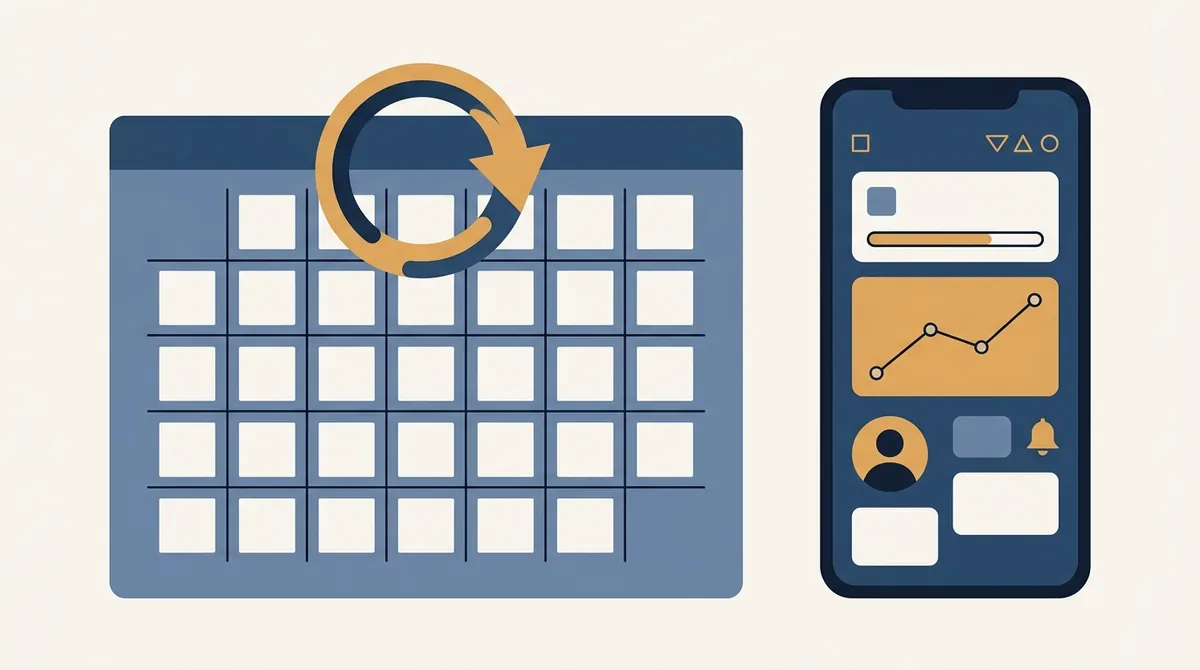
January: redesign and launch a test.
February to March: leave it completely alone.
April: read the result, adopt the winner, write down what you learned.
Then repeat in July. That's two cycles a year with six months of stable data, and it's more than most listings ever get.
If you only have the appetite for one cycle a year, run it in your quietest season. A clean read matters more than a busy one.
What to do in the quiet months
Plenty, and none of it touches the live listing.
Build the next set. Write and rewrite captions. Collect the objections people raise in reviews.
Look at what changed in your category and note it.
By the time the test ends, the next candidate is already built and waiting in our editor.
Read your one star reviews properly. Half of them describe an expectation your screenshots set and your app did not meet.
The measurement you need either way
None of this works without a before number.
Write down your conversion rate the day before you change anything, and the date you changed it.
Without that, a test result is the only evidence you'll ever have, and outside a test you have nothing at all.
The mechanics of running the test itself sit in our A/B testing post.
A line in a notebook is enough. Date, what changed, conversion rate before.
The short version
Two full refreshes a year, both tied to a test.
Nothing changes while a test runs. Ninety days on Apple, up to six months on Google.
Seasonal artwork goes in event assets. Audience differences go in custom listings.
Text can move more often than images, because it's cheaper and easier to attribute.
Stable beats busy. The listing you leave alone for a quarter is the one that finally tells you something.
Frequently asked questions
How often should I change my app store screenshots?
Twice a year at most for a full redesign, and only between tests. An Apple product page test runs for up to 90 days and a Google experiment can run for six months, so a monthly refresh guarantees you never find out which version actually worked.
Do I need a new app version to test new screenshots?
Not on the App Store, unless the test includes alternate app icons. Apple states that a test without alternate icons can be submitted for review independent of a new app version. That means your release schedule and your listing schedule are separate.
How long should I wait before calling a winner?
Until the platform says it has enough data. Google's console estimates the traffic an experiment needs and warns you when a result is less than a week away. A small app may genuinely need months, and stopping early gives you a number you cannot trust.
Should I use seasonal screenshots for festivals?
Use promotional and event assets instead, because they expire on their own and leave your baseline set untouched. Swapping your permanent screenshots for seasonal artwork means you lose the comparison you spent a quarter building.
Can I update screenshots outside an app release?
Often yes, and the route differs by store. Knowing which one applies saves a full release cycle when you need a quick fix, and we walk through both in [the screenshots without an update post](/blog/change-app-store-screenshots-without-update-2026).
Build the mockup in your browser.
Drop a screenshot into a real device frame and export at the exact store size — free, no signup.