
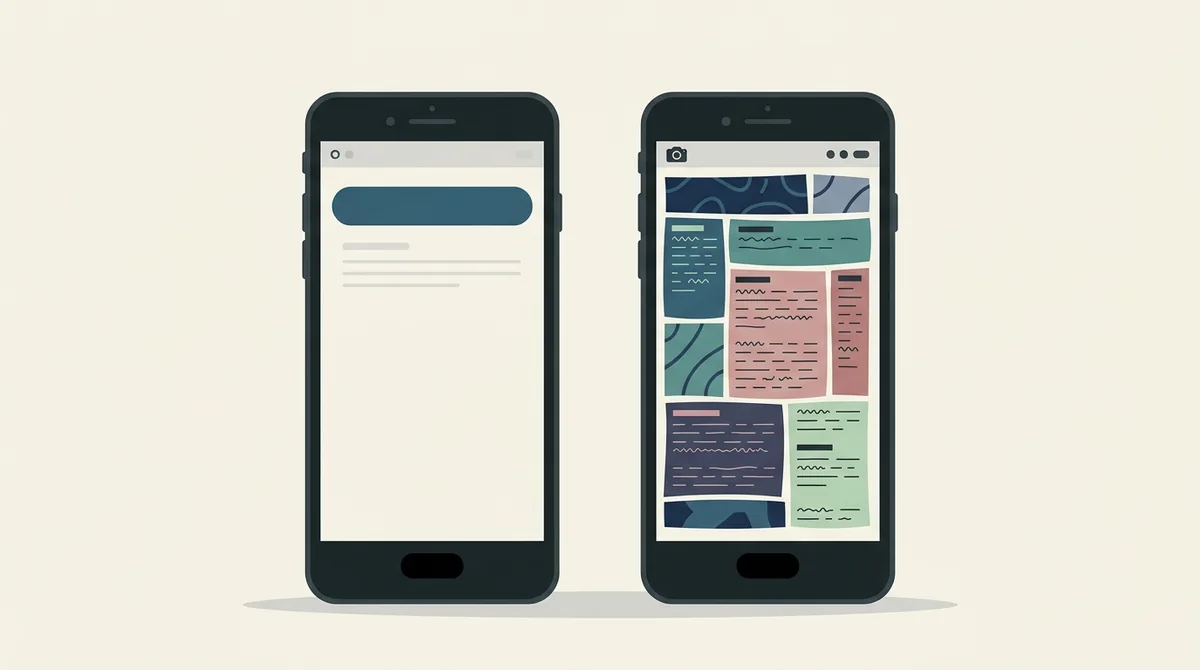
Google's metadata policy bans three things from your store images and text: anything claiming store performance or ranking such as number one, best or app of the year, anything about price or promotions such as a discount or a limited time offer, and anything referencing a Google Play programme such as editors choice or new. Everything else is a writing decision rather than a rule.
Which words get a listing rejected?
Quick answer: Three families of claim. Rankings, such as number one or best or app of the year. Prices and promotions, such as a discount or a limited time offer. And Google Play's own programme names, such as editors choice. Those are banned in your images as well as your text.
The surprise is that the rule covers pictures, not only words. An award icon counts even with no text next to it.
I read Google's metadata policy directly for this rather than a summary, and I counted exactly three families of banned claim in it. Most lists circulating online include items the policy never mentions.
Ranking and performance claims
This is the first family and the one most people break by accident.
Google's policy names images or text that indicate store performance or ranking. The examples it gives are app of the year, number one, best of Play and the year, popular, and award icons.
So a small gold laurel wreath in the corner of your first screenshot is a violation even with no words in it.
The reasoning is consistent. Google controls the ranking surfaces, so it doesn't let developers make ranking claims inside them.
That covers most of what founders want to put on a screenshot after a good month.
Price and promotional claims
The second family catches marketing teams rather than founders.
The policy names images or text indicating price and promotional information, and gives ten percent off, fifty dollars cash back and free for a limited time only as its examples.
So a red sale flash across your opening screenshot is out.
This one has a practical edge too. Store images are cached and shown in places you don't control, so a time limited offer would outlive the offer.
If you're running a promotion, the store listing isn't where it goes.
Google Play programme references
The third family is the narrowest and the easiest to avoid.
The policy names images or text indicating Google Play programmes, with editors choice and new as its examples.
So you can't label yourself an editors choice app. If Google gives you that badge, Google displays it.
The word new is worth a second look, because it's a word people reach for constantly.
New as a programme reference is out. Describing a genuinely new feature inside your app is a different thing, and the safe move is to describe what the feature does rather than to label it.
What the policy does not say
This matters as much as the banned list, because the internet has invented extra rules.
Many lists of forbidden screenshot words include calls to action such as install now or download today. I read the metadata policy and it doesn't name those.
That doesn't make them a good idea. A call to action on a screenshot wastes a line on something the giant button beside it already handles.
But it's a writing judgement, not a policy violation, and it's worth knowing the difference.
When somebody tells you a word is banned, ask which policy names it. Often nothing does.
The wider rule underneath all three
There's a broader clause that catches things the three lists miss.
Google forbids metadata that is misleading, improperly formatted, non descriptive, irrelevant, excessive or inappropriate. That applies to your screenshots as much as your description.
Excessive is the interesting word. A screenshot that's ninety percent marketing text with a sliver of app in the corner is arguable under it.
So the safest shape is a real app screen with a short caption on top, which is what the store expects anyway.
You can read the wording yourself on Google's metadata policy page.
What to write instead of a ranking
Every banned claim has a legal version that does the same job.
Instead of a ranking, describe the outcome. Not best budgeting app, but see where your money went in one screen.
Instead of a discount, describe the value. Not fifty percent off, but no subscription needed for the basics, if that's true.
Instead of an award badge, show the thing that earned it.
The replacement is almost always more persuasive, because a benefit beats a boast. We covered how to write them in our guide to screenshot captions that convert.
Testimonials and press quotes
A common question, and the answer splits neatly in two.
A quote from a real user about what the app does for them is a description, and it is allowed. It still has to be real, and you should be able to show where it came from.
A press quote calling you the best app in a category is a ranking claim wearing a costume. Putting it in quotation marks does not change what it says.
So the safe version keeps the substance and drops the superlative. A line about what a reviewer found useful works. A line about where they ranked you does not.
The same applies to star ratings copied from elsewhere. Google already shows your rating, so printing it on the image adds nothing and risks the rule.
Claims about other people are a separate risk
Worth separating, because this is a different kind of trouble.
Naming a competitor in your screenshot, or showing their logo, isn't a metadata policy question. It's a trademark question.
Comparison tables with a rival's name in the losing column are common on the web and rare in store listings for exactly this reason.
A takedown from a company's legal team is slower and more expensive than a policy rejection.
If you want to make the comparison, make it about the behaviour rather than the brand.
Numbers you can use
Not every number is a ranking claim. These are usually fine:
- A count of what the app contains, such as two hundred workouts.
- A measured result the app produces, such as halves your upload time, if you can support it.
- A user count, if it's real and current.
- A price, inside the app's own screen where the user is actually choosing.
The line is roughly this. A number about your app is a description. A number about your position in the store is a ranking claim.
And anything you can't support shouldn't be there whatever the policy says.
Apple has its own version
The two stores overlap here but they aren't the same document.
Apple's concern is mainly that the screenshot shows the app doing something real, and that paid content is presented honestly.
So a set that passes Google's metadata policy is usually close to fine on Apple, but the wording differs and so does what reviewers flag.
If you're shipping to both stores from one asset set, check both before you build eight images.
We covered the Apple side separately in what App Store screenshots can include.
Where rejections actually come from
One useful thing to understand about how this gets caught.
Nobody is reading your screenshots with a magnifying glass on upload day. Most of these violations surface later, often after a report or during a routine review.
So a listing that has been live for a year with a number one badge on it is not proof the badge is allowed. It's proof nobody has looked yet.
That's worth knowing because teams point at competitors doing it as evidence that it's fine.
It isn't evidence. It's a queue.
A two minute audit of your current set
Open your listing and look at your images with three questions.
Is there a number, a badge or a word that claims a position in the store? Remove it.
Is there a price, a discount or a deadline? Remove it.
Is there more marketing text than app screen? Rebalance it.
That's the whole audit, and it takes less time than arguing with a rejection afterwards.
What to do now
Read your captions out loud, one after the other.
Anything that sounds like a boast is the line to rewrite, because it's both the risky one and usually the weakest one.
Then rebuild those images in the editor with a plain benefit instead.
If a rejection has already landed, our guide to a rejected store listing covers the next step.
Frequently asked questions
Can I put number one or best in my app screenshots?
No. Google's metadata policy names images or text indicating store performance or ranking, with app of the year, number one, best of Play and award icons as examples. The ban covers pictures too, so a laurel wreath with no text still counts.
Can I show a discount in my store screenshots?
No. The policy names images or text indicating price and promotional information, giving ten percent off, cash back and free for a limited time as examples. Store images also outlive the promotion, which is a practical reason as well as a policy one.
Is Install Now banned on app screenshots?
Not by the metadata policy, which doesn't name calls to action. It is still a weak use of a caption, because the install button sits right beside the image. Treat it as a writing decision rather than a rule.
Can I say my app is an Editors Choice?
No, unless Google has given you the badge, in which case Google displays it for you. The policy names Google Play programme references directly, with editors choice and new as its examples.
Can I name a competitor in my screenshots?
Comparing is legal, but naming a rival or showing their logo is a trademark question rather than a policy one, and a legal complaint is slower and costlier than a rejection. Compare the behaviour rather than the brand.
Are user counts allowed in screenshots?
A real, current count of your own users describes your app rather than claiming a position in the store, so it is normally fine. A claim that you are the most downloaded app in a category is not. Our list of [screenshot mistakes](/blog/app-screenshot-design-mistakes-fix-fast-2026) covers the rest.
Build the mockup in your browser.
Drop a screenshot into a real device frame and export at the exact store size — free, no signup.